
Ansible vs Chef: Configuration Management Comparison
Configure hundreds of servers without installing an agent? Ansible does it over SSH. Chef requires agents but offers continuous convergence for complex infra.
Ansible and Chef approach configuration management from fundamentally different angles. Ansible wins decisively on accessibility: it is agentless, uses simple YAML, and requires minimal setup to become productive. Its community is orders of magnitude larger and more active. Chef offers greater depth for complex enterprise environments with its convergence model, Chef InSpec for compliance-as-code, and detailed audit trails. The industry in 2026 has largely sided with Ansible due to its lower barrier to entry and broader applicability. Chef remains relevant in specialized enterprise niches where continuous compliance enforcement is mission-critical.
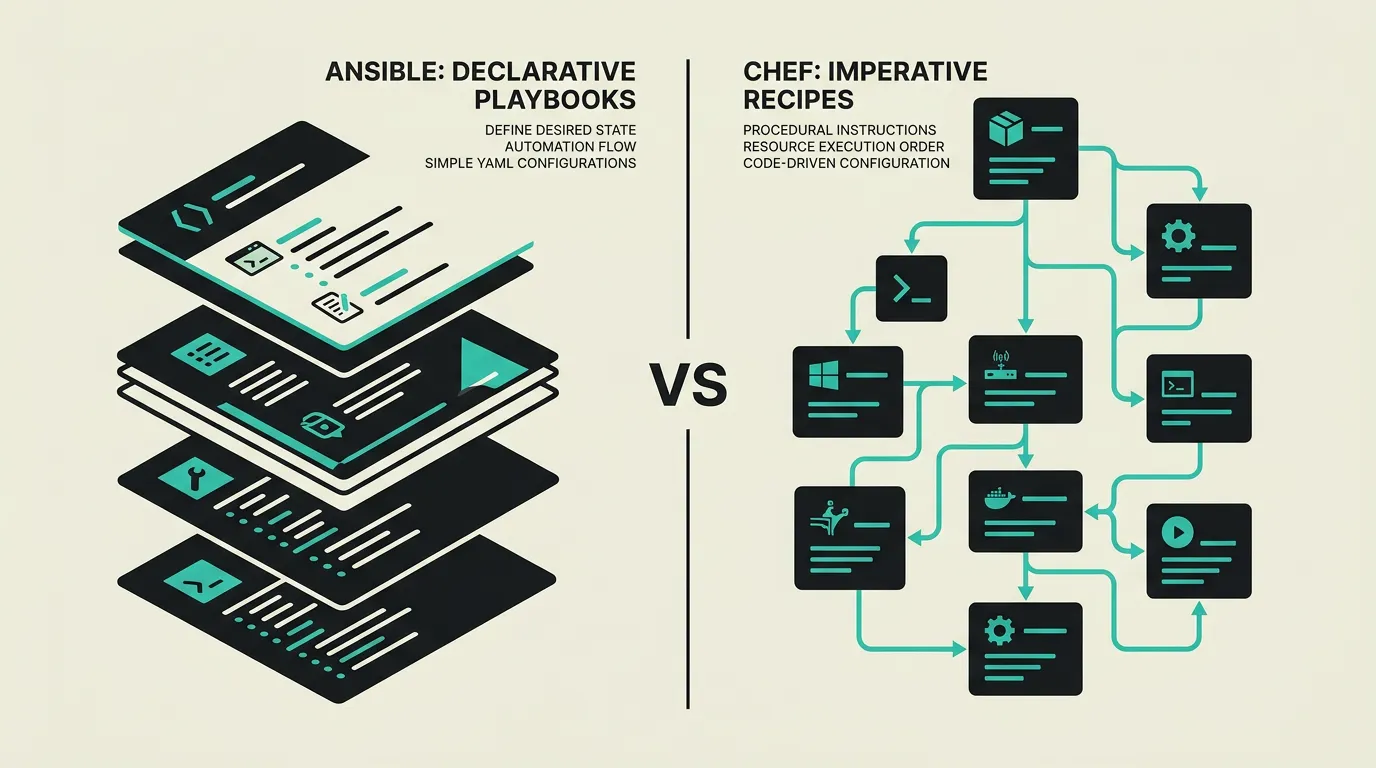
Background
Configuration management automates the setup, maintenance, and validation of server configurations, eliminating manual configuration drift and ensuring consistency. In a world of cloud infrastructure and containers, configuration management remains relevant for managing base images, on-premise servers, and compliance validation. Ansible and Chef are two established tools in this space but with fundamentally different architectures: agentless versus agent-based, YAML versus Ruby, push model versus convergence. The choice impacts not just tooling but also the team skills and operational workflows required to maintain infrastructure reliably.
Ansible
An agentless automation platform by Red Hat that uses YAML playbooks for configuration management, application deployment, and orchestration. Ansible communicates via SSH (or WinRM for Windows) without requiring any software installation on target servers. The declarative YAML syntax makes playbooks readable for anyone with basic IT knowledge. With Ansible Galaxy hosting over 30,000 community roles and AWX/Ansible Tower providing enterprise-scale features, Ansible has become the most widely adopted configuration management platform in the industry.
Chef
An agent-based configuration management tool that uses a Ruby-based DSL with recipes and cookbooks for defining infrastructure as code. Chef follows a client-server architecture where Chef Client runs on each managed node and periodically converges to the desired state. This convergence model ensures servers always return to the defined configuration even after manual drift. Chef Automate provides enterprise features including compliance scanning, detailed audit trails, and visual workflow dashboards for managing large environments.
What are the key differences between Ansible and Chef?
| Feature | Ansible | Chef |
|---|---|---|
| Architecture | Agentless; communicates via SSH with no installation required on target hosts | Agent-based; requires Chef Client on each managed node for continuous convergence |
| Configuration language | YAML playbooks; easy to learn and readable for non-developers in the team | Ruby DSL (recipes/cookbooks); powerful but steep learning curve for non-Ruby teams |
| Idempotency | Built into modules with declarative state management and dry-run check mode | Built into resources via convergence model that periodically enforces desired state |
| Scalability | Good up to thousands of nodes; AWX/Tower and execution environments for enterprise | Excellent for very large environments via Chef Server, Chef Automate, and Policyfiles |
| Community & ecosystem | Ansible Galaxy with 30,000+ roles and collections; very active open-source community | Chef Supermarket with cookbooks; smaller but specialized enterprise-focused community |
| Compliance & audit | Ansible Lint and Molecule for testing; limited built-in compliance capabilities | Chef InSpec for compliance-as-code; detailed audit trails via Chef Automate dashboard |
| Windows support | Via WinRM or OpenSSH; Windows-specific modules available through collections | Native Windows support via Chef Client; strong PowerShell integration out of the box |
| Learning curve | Low; YAML is readable for most IT professionals within days of starting | High; Ruby knowledge required and the architecture has more concepts to understand |
When to choose which?
Choose Ansible when...
Choose Ansible when you need agentless automation that works over SSH without installing anything on target servers. The YAML playbook syntax is readable by non-developers, making it accessible for broader DevOps teams including operations staff. Ansible Galaxy provides thousands of pre-built roles for common infrastructure tasks from web server setup to Kubernetes cluster configuration. The combination with AWX or Ansible Tower adds enterprise features like RBAC, scheduling, and audit logging. Best for teams that want to be productive quickly without weeks of training.
Choose Chef when...
Choose Chef when managing large-scale enterprise environments with hundreds or thousands of servers requiring continuous compliance enforcement and automatic remediation. The agent-based architecture guarantees servers always converge to the desired state, even when the central server is temporarily unreachable. Chef InSpec provides compliance-as-code that integrates directly with Chef Automate for audit trails and compliance reporting. The right choice for heavily regulated industries where demonstrable compliance is a legal requirement.
What is the verdict on Ansible vs Chef?
Ansible and Chef approach configuration management from fundamentally different angles. Ansible wins decisively on accessibility: it is agentless, uses simple YAML, and requires minimal setup to become productive. Its community is orders of magnitude larger and more active. Chef offers greater depth for complex enterprise environments with its convergence model, Chef InSpec for compliance-as-code, and detailed audit trails. The industry in 2026 has largely sided with Ansible due to its lower barrier to entry and broader applicability. Chef remains relevant in specialized enterprise niches where continuous compliance enforcement is mission-critical.
Which option does MG Software recommend?
At MG Software, we use Ansible for all configuration management tasks. The agentless architecture, low learning curve, and extensive Ansible Galaxy ecosystem make it the pragmatic choice for projects of any size. Ansible collections provide modular, reusable automation that fits well into our DevOps workflow. We only recommend Chef for existing environments that have already heavily invested in Ruby-based cookbooks and where the migration effort to Ansible is not justified. For compliance needs, we combine Ansible with dedicated tools like Open Policy Agent or InSpec standalone.
Migrating: what to consider?
Migrating from Chef to Ansible requires converting Ruby cookbooks to YAML playbooks. The conceptual mapping is relatively clear: recipes become tasks, cookbooks become roles, and attributes become variables. The syntax differs completely but the underlying logic is comparable. Start by migrating simpler cookbooks and use Ansible Galaxy to replace custom Chef code with community roles where possible. Expect two to four months for a full migration of a medium-sized environment, including building Ansible expertise within the team and establishing testing workflows.
Frequently asked questions
Is Ansible difficult to learn?
No, Ansible is one of the most accessible automation tools available. The YAML playbooks are readable for anyone with basic IT knowledge and follow a declarative structure that describes the desired state rather than procedural steps. Most teams become productive with Ansible for basic tasks within a week. Chef typically requires weeks to months of training due to the Ruby DSL and the more complex architectural concepts of cookbooks, recipes, environments, and the convergence model.
Is Chef still relevant in 2026?
Chef is still actively used in large enterprise environments, particularly in regulated industries like finance and healthcare where Chef InSpec provides compliance-as-code capabilities. Progress (the owner of Chef) actively maintains the platform with regular releases. The community has shrunk and new projects almost always choose Ansible. Chef remains the better choice for organizations with existing Chef infrastructure and strict compliance requirements where the migration investment is not justified.
Can Ansible also provision cloud infrastructure?
Yes, Ansible has extensive modules for AWS, Azure, GCP, and other cloud providers through collections. You can provision EC2 instances, VPCs, databases, and more from playbooks. However, for pure infrastructure provisioning, Terraform is more commonly and effectively used due to its superior state management and plan/apply workflow. The common approach is Terraform for provisioning and Ansible for configuration management, combining the strengths of both tools in a complementary workflow.
How does error handling differ between Ansible and Chef?
Ansible stops by default at the first error and reports which task failed on which host. With ignore_errors, block/rescue patterns, and failed_when conditions, you can configure error handling granularly. Chef attempts to execute the full recipe and reports all errors at the end of a convergence run. Chef convergence model has the advantage that a subsequent run automatically retries failed resources, while Ansible requires manual re-execution of failed playbooks.
Can I use Ansible and Chef together?
Technically possible but rarely desirable. Combining two configuration management tools increases complexity and makes it difficult to determine which tool manages which configuration. During migration from Chef to Ansible, a gradual approach is common: manage new servers with Ansible while existing servers remain on Chef until migrated. Ensure clear ownership per server or server group to prevent conflicting configurations and management confusion.
Which tool is better for Windows servers?
Both support Windows management. Chef has historically stronger Windows support with its native Chef Client and deep PowerShell integration. Ansible supports Windows via WinRM or OpenSSH with dedicated Windows modules through collections. In 2026, Ansible Windows support has improved significantly thanks to community collections covering most common Windows administration tasks. For pure Windows environments, Chef may have a slight edge, but for mixed Linux/Windows environments, Ansible is more pragmatic due to the unified YAML approach.
How do you test Ansible playbooks?
Ansible provides Molecule as a test framework that lets you test playbooks in Docker containers, Vagrant machines, or cloud instances. Ansible Lint checks playbooks for best practices and common mistakes. For integration testing, Testinfra or Goss can validate the final state of servers after playbook execution. Chef offers comparable tooling through Test Kitchen and ChefSpec. Both testing ecosystems are mature, but Molecule is lighter and faster to set up thanks to its Docker integration and simpler configuration.
We build production software with this stack
Our developers work with these tools daily for clients across Europe. Price estimate within 24 hours.
 Discuss your project