
Automatic inventory reordering: custom reorder points
Automatic inventory reordering with demand forecasts and configurable thresholds. Custom software that places purchase orders before stock runs out.
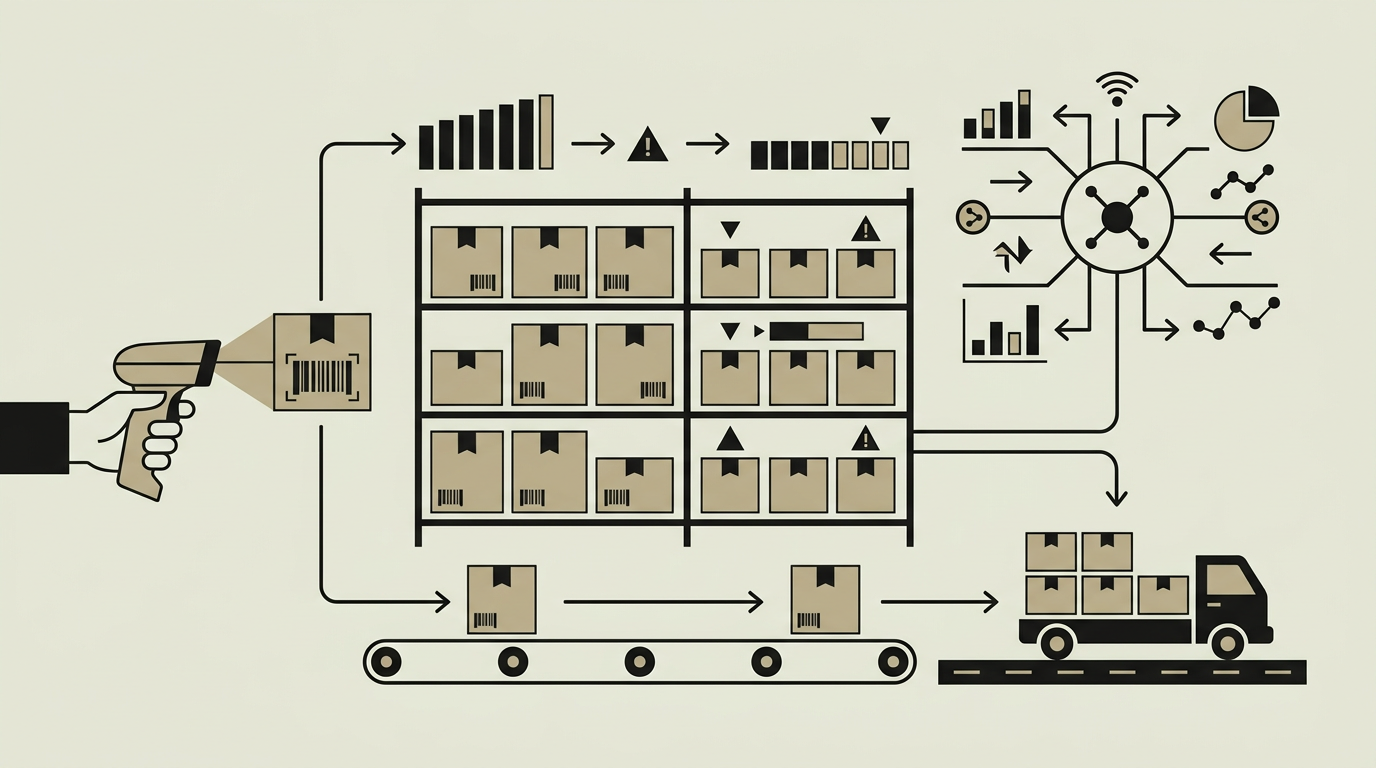
Running out of a best-selling product is one of the costliest mistakes a business can make. Lost sales, unhappy customers, and rushed emergency orders eat into margins quickly. Yet maintaining excessive safety stock ties up cash and warehouse space. Automatic reordering strikes the right balance by monitoring consumption patterns and placing replenishment orders at precisely the right moment. The feature analyses historical demand, lead times, and seasonal variability to calculate optimal reorder points and economic order quantities for every SKU. Rather than relying on a purchasing manager to check spreadsheets or gut-feel thresholds, the system acts proactively, generating draft purchase orders that only need a single approval click. For companies managing thousands of SKUs, this level of automation is not a luxury but a necessity to stay competitive.
How does it work?
At its core the reorder engine runs a nightly batch process that evaluates every active SKU against its reorder parameters. The algorithm considers the current on-hand quantity, any pending inbound shipments, confirmed customer orders, average daily consumption over a configurable lookback window, and the supplier lead time stored in the product master record. When the projected available inventory falls below the reorder point, the engine creates a draft purchase order line for that SKU. Multiple lines destined for the same supplier are consolidated into a single order to minimise shipping costs. The system then routes the draft order through an approval workflow that can be as simple as a one-click confirmation or as elaborate as a multi-tier sign-off chain with budget checks. Once approved, the order is transmitted to the supplier via EDI, email, or a supplier portal API. Advanced users can enable a demand-forecasting layer that uses exponential smoothing or simple moving averages to adjust reorder points automatically based on trend and seasonality. The engine also supports manual overrides, so purchasing staff can bump quantities before a known promotional campaign or seasonal peak without disabling the automation.
Capabilities
Dynamic Reorder Points
Calculates SKU-level reorder thresholds nightly, factoring in recent demand velocity, supplier lead time, and safety-stock buffers you define.
Demand Forecasting
Optional exponential-smoothing or moving-average algorithms detect trends and seasonal spikes, adjusting reorder parameters automatically.
Supplier Consolidation
Groups order lines by supplier to reduce shipping costs and simplify receiving. Minimum order value and quantity rules are respected.
Approval Workflows
Configurable sign-off chains route draft purchase orders to the right decision-makers, with optional budget-ceiling checks before approval.
Override Controls
Purchasing staff can manually adjust suggested quantities, add notes, or postpone orders when business context warrants deviation from the algorithm.
Integration options
Supplier EDI
Transmits approved purchase orders to suppliers via electronic data interchange, reducing manual email handling and order entry errors.
Accounting Software
Syncs purchase commitments to Exact Online, Twinfield, or Xero so that accrual accounting reflects the pending orders in real time.
E-commerce Demand Feed
Ingests sales velocity data from Shopify, WooCommerce, or Magento to incorporate online demand into the reorder calculation.
Implementation steps
- 1
Data Audit
Review existing product master data for completeness: lead times, supplier contacts, unit costs, and historical consumption records.
- 2
Parameter Configuration
Set initial reorder points, safety-stock levels, and economic order quantities for each SKU based on historical demand analysis.
- 3
Workflow Design
Define the approval chain, budget thresholds, and notification rules that match your procurement policy.
- 4
Supplier Connectivity
Configure order transmission channels for each supplier: EDI, email templates, or API integrations.
- 5
Parallel Run
Operate the automatic system alongside the existing manual process for four weeks to validate suggestions before switching over fully.
- 6
Forecasting Activation
Once baseline reorder automation is stable, enable the demand-forecasting module and monitor prediction accuracy over two seasonal cycles.
User experience
The purchasing dashboard surfaces a prioritised list of draft orders sorted by urgency. Colour-coded indicators flag SKUs that are already below safety stock versus those approaching the threshold. One-click approval and bulk-approve actions keep the workflow snappy for teams managing high volumes of purchase orders.
Technical stack
Security
Draft purchase orders carry financial commitments, so the approval workflow enforces role-based access. Only users with the Procurement role can approve or transmit orders. An audit trail records every approval, override, and transmission event with timestamps and user identity.
Maintenance
Quarterly review of reorder parameters and forecasting accuracy. Supplier lead-time data should be refreshed whenever contracts change. Budget roughly 30 hours per year for tuning and support.
Frequently asked questions
How does the system decide when to reorder?
It compares projected available inventory (on-hand minus committed orders plus inbound shipments) against a calculated reorder point. When projected stock dips below the threshold, a draft purchase order is generated automatically.
Can we still place manual purchase orders?
Absolutely. The automatic reorder system generates suggestions, but purchasing staff retain full control to create, modify, or override any order at any time.
Does the demand forecasting handle seasonal peaks like Black Friday?
Yes. The forecasting module detects seasonal patterns in your historical data and adjusts reorder parameters ahead of recurring peaks. You can also apply manual overrides for one-off events.
Need this functionality in your product?
We build it the way your business actually needs, without unnecessary complexity.
 Request a quote